🎧
Works with your favorite players
Spotify, Apple Music, YouTube (browser), Tidal, VLC, and more.
 Lyricova
Do you love those aesthetic lyric videos on YouTube? Imagine having that same vibe right on your desktop.
With Lyricova, your favorite songs come with beautiful, animated, time-synced lyrics — displayed directly on your Windows wallpaper. No need to open a lyric video. No need to leave your desktop. Just play your music and let the lyrics flow.
Click to view it full-size.
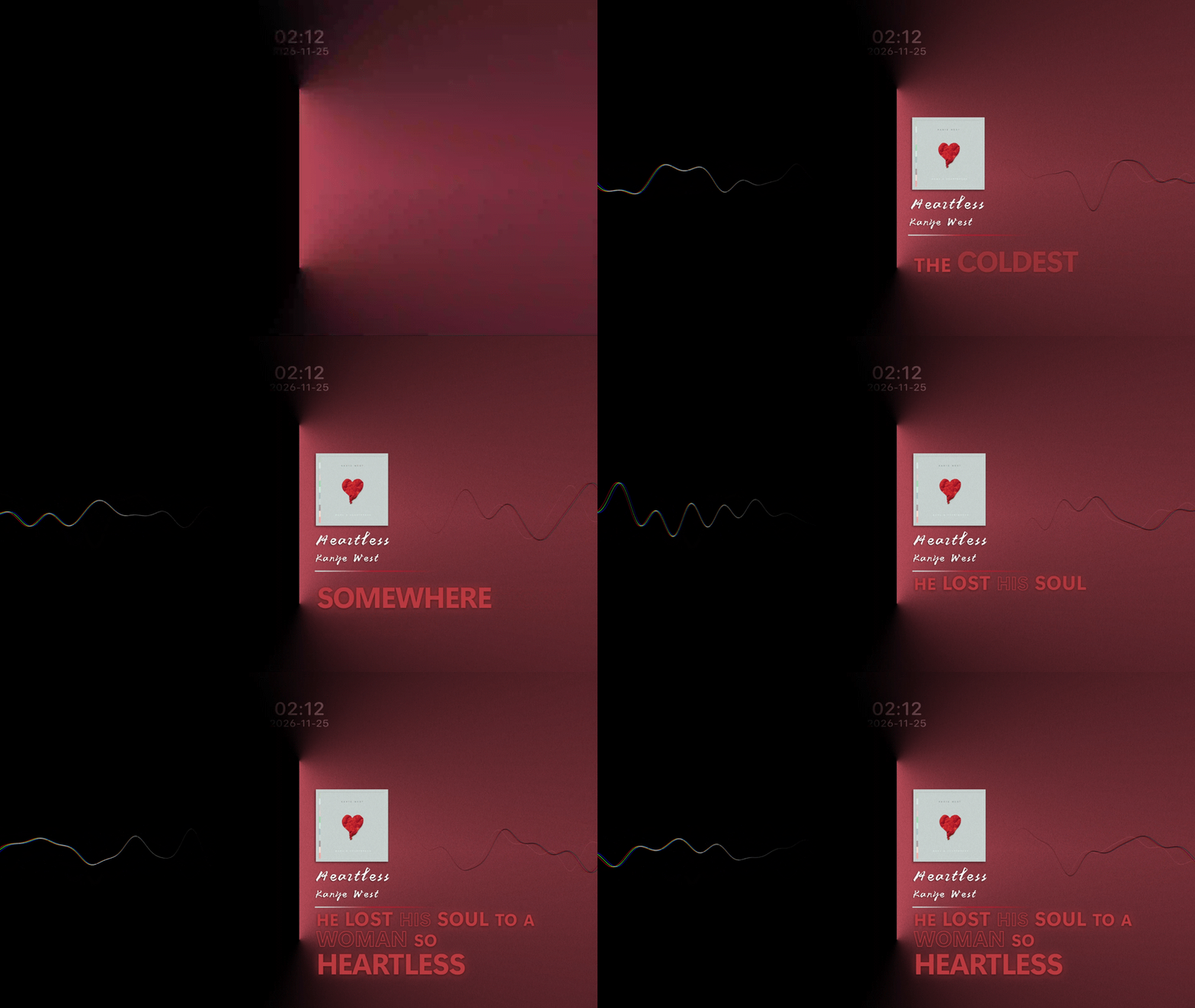
Click any style to watch it full-size.
Whether you love minimalist setups, cozy animated wallpapers, or vibrant music-inspired desktops — your lyrics move in sync with your music.
Spotify, Apple Music, YouTube (browser), Tidal, VLC, and more.
Flow, Reel, Cinema, Kinetic, Typewriter, Neon, Subtitle, Stack, Rise, Pop, Karaoke, and Scatter.
Sync lyric colors with your album artwork or choose your own solid and gradient colors.
Pin lyrics behind windows and icons. They stay on your wallpaper.
Fonts, alignment, weight, opacity, shadow, glow, capitalization, and lyric timing.
Keep your lyrics exactly where you want them.
Bilingual interface with helpful tooltips.
No account and no always-online DRM.
Whether you love minimalist setups, cozy animated wallpapers, or vibrant music-inspired desktops, Lyricova adds the missing touch: your lyrics, moving in sync with your music.
Buy once. Personalize your desktop. Enjoy your music.
Download Lyricova Setup 1.0.0.exe immediately after purchase.
Your personal license key (LYRV1-...) will be sent to your Ko-fi purchase email within a few hours.
Install Lyricova and enter your key once. You're ready to go!
As an independent app without a paid code-signing certificate, Windows may show a "Windows protected your PC" warning. Click More info → Run anyway to proceed.
Lyrics are fetched live from public databases, including LRCLIB. Not every song has synchronized lyrics available.